On this page
- What is AI referral traffic, and how is it different from organic search?
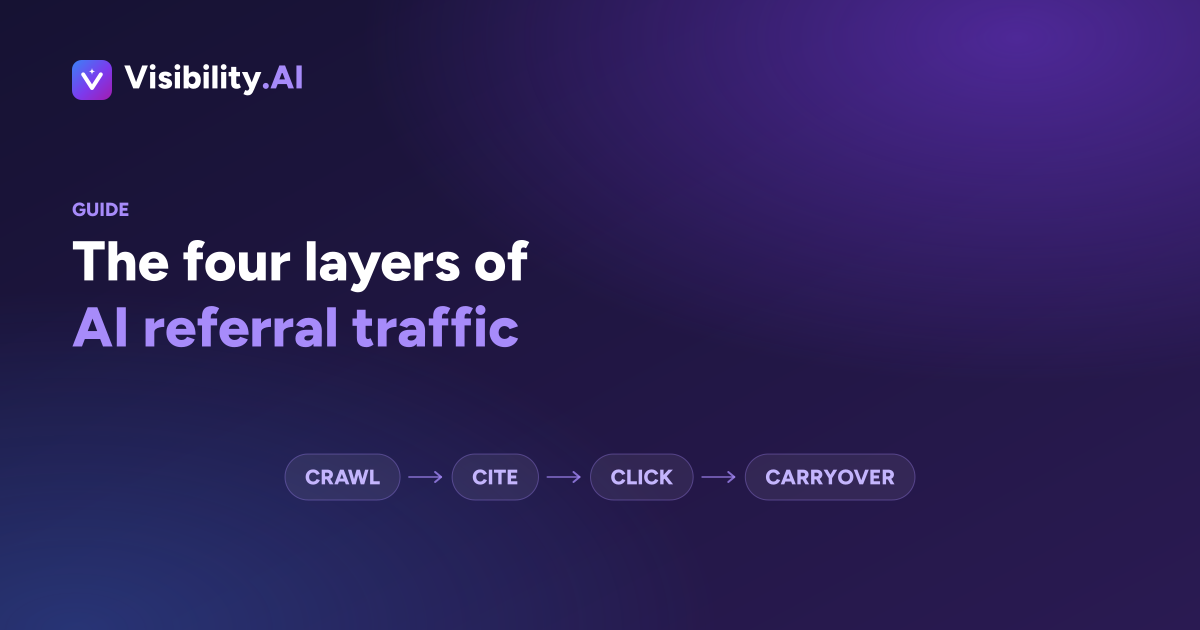
- The Crawl, Cite, Click, Carryover model
- Prerequisites: what you need before you start
- Step 1: Build your list of AI referrer domains
- Step 2: Create an AI channel group in GA4
- Step 3: Handle the engines that send no referrer
- Step 4: Read AI crawlers in your server logs
- Step 5: Track the carryover you cannot attribute
- Step 6: Validate the setup before you report on it
- Failure modes: five ways this goes wrong
- Three illustrative examples
- What AI referral tracking cannot tell you
- Where to start this week
- Frequently asked questions
Most analytics setups are quietly filing AI traffic in the wrong drawer. Visits from ChatGPT land in “Referral” next to newsletter clicks, visits from Google’s AI results are indistinguishable from ordinary organic, and visits from mobile assistants often show up as Direct. The result is a channel you cannot see, cannot report on, and cannot defend in a budget meeting.
This guide fixes the part that is fixable. You will set up AI referral tracking in GA4, learn to read AI crawlers in your server logs, and get an honest map of what none of it can tell you.
- AI referral traffic is the visits that start with a click inside an AI-generated answer, and only some AI surfaces pass a referrer you can identify.
- ChatGPT, Perplexity, Gemini, Copilot and Claude are separable in GA4 with a custom channel group; Google AI Overviews and AI Mode are not separable at all.
- Server logs show a layer analytics never will: which AI bots fetch your pages, and whether they are training crawlers or live fetches made while a user waits.
- You cannot add UTM parameters to AI referral links, because the assistant builds the link, not you.
- Clicks are the smallest part of AI's effect on your business, so treat referral volume as a diagnostic signal rather than a scoreboard.
AI referral traffic is website traffic that arrives when a person clicks a cited link inside an AI-generated answer, from an assistant such as ChatGPT, Perplexity, Gemini, Microsoft Copilot or Claude. It appears in analytics as referral traffic from the assistant's own domain, which is what separates it from ordinary search traffic.
What is AI referral traffic, and how is it different from organic search?
AI referral traffic is the sessions that begin inside an AI assistant rather than a search results page. Someone asks a question, the assistant answers and cites a handful of sources, and the person clicks one of them. Your server sees a visit whose referrer is the assistant’s domain rather than a search engine’s.
The difference from organic search is not just the source. Search traffic is self-selected from a list of ten options. AI referral traffic has already been filtered by the model, which means the visitor arrives holding an answer and is checking your page against it. That changes what a good landing experience looks like, and it changes what a low number means.
It also means the click is optional in a way it never was on a results page. If the answer was complete, there is no visit. Your content can be doing its job perfectly and generate no referral traffic at all.
The Crawl, Cite, Click, Carryover model
AI’s effect on your traffic happens in four layers, and each one lives in a different system. Tracking only the third layer, which is what most teams do, produces a number that looks disappointing and explains nothing. Name the layers and the gaps become obvious.
| Layer | Where the data lives | What it proves | What it misses |
|---|---|---|---|
| Crawl | Server or CDN logs | AI systems are fetching your pages | Fetching is not citing |
| Cite | An AI visibility tracker | You appear as a source in answers | Not available in any analytics tool |
| Click | GA4, or your analytics platform | Someone acted on the citation | Only the surfaces that pass a referrer |
| Carryover | Brand search, direct traffic, self-reported attribution | AI influenced demand that arrived another way | Never cleanly attributable |
The useful discipline here is refusing to let one layer stand in for another. Rising crawl activity does not mean you are being cited. Flat referral traffic does not mean you are invisible. The layers move independently, and reading them together is the entire skill.
Prerequisites: what you need before you start
Setting up AI referral tracking takes about an hour if you already have the right access. Three things are worth confirming before you begin, because two of them are commonly missing and both are awkward to retrofit once you have started reporting numbers.
You need an analytics property that records referrer data, which GA4 does by default. You need read access to server or CDN logs, which is where the crawler layer lives; on Cloudflare, Fastly or a managed host this is usually a log export or a bot analytics view. And you need Search Console connected, because it is the only place to watch the surfaces that pass no referrer.
One thing you do not need is a tag change. AI referral traffic is already arriving in your analytics. The work is classification, not collection.
Step 1: Build your list of AI referrer domains
The AI surfaces that send identifiable traffic each use their own domain, and the ones that do not send a referrer need to be named too, so you stop looking for traffic that will never appear. Start from this list, then verify it against your own source report, because vendors add and retire domains regularly.
| Surface | Referrer you will see | Passes a referrer? | What you can measure |
|---|---|---|---|
| ChatGPT on the web | chatgpt.com | Yes | Sessions, landing page, on-site behaviour |
| ChatGPT in the mobile app | often none | Inconsistent | Usually lands in Direct |
| Perplexity | perplexity.ai | Yes | Sessions, landing page, on-site behaviour |
| Google AI Overviews | google.com | No distinct referrer | Nothing separable from organic search |
| Google AI Mode | google.com | No distinct referrer | Nothing separable from organic search |
| Gemini | gemini.google.com | Yes | Sessions, landing page |
| Microsoft Copilot | copilot.microsoft.com | Yes | Sessions, landing page |
| Claude | claude.ai | Yes | Sessions, landing page |
Two notes on reading this table. Older ChatGPT sessions may still arrive as chat.openai.com, so keep it in your pattern. And in-app browsers on phones frequently drop the referrer, which means a meaningful share of genuine assistant traffic is sitting in your Direct bucket with no way to reclaim it.
Step 2: Create an AI channel group in GA4
A custom channel group turns a scatter of referral rows into one reportable line. In GA4, open Admin, then Data display, then Channel groups, and create a new group based on the default. Add a channel named AI assistants and place it above Referral so it captures those sessions first.
Set the condition to Session source, matches regex, using a pattern like this one:
^(chatgpt\.com|chat\.openai\.com|perplexity\.ai|www\.perplexity\.ai|gemini\.google\.com|copilot\.microsoft\.com|claude\.ai|you\.com|grok\.com|poe\.com)$
Two cautions. Channel groups are not retroactive in every report, so create yours before you need the history, and check where these sources currently land before you move them, since GA4’s default classification of AI sources has shifted more than once. Give the group a week, then compare its session count against a manual filter on the same sources to confirm nothing is being caught twice.
Step 3: Handle the engines that send no referrer
Google AI Overviews and AI Mode are the largest AI surfaces most brands are exposed to, and neither one is separable in analytics. Both carry the ordinary google.com referrer, and Search Console reports their clicks inside your overall Search totals rather than as their own line. Any tool claiming to isolate this number is estimating it.
What you can do is watch the queries where AI results appear. Pick the twenty or thirty queries that matter commercially, check which of them return an AI answer, and track impressions, clicks and average position for that set specifically in Search Console. A pattern of impressions holding steady while clicks fall on exactly those queries is the clearest signal available that an AI answer is absorbing the click.
Treat that as evidence, not measurement. It is directional, it is confounded by every other ranking change, and it should be labelled that way in any report you circulate.
Step 4: Read AI crawlers in your server logs
Server logs show you the layer that happens before any click: AI systems fetching your pages. The distinction that matters is between crawlers that gather content for training or indexing, and fetchers that pull a page in real time because a user has just asked something. The second group is a leading indicator of citations.
Broadly, user agents like GPTBot, ClaudeBot, PerplexityBot and Google-Extended are gathering content. User agents like ChatGPT-User, OAI-SearchBot and Perplexity-User indicate an on-demand fetch while someone waits for an answer. Check each vendor’s published bot documentation rather than trusting a list in an article, including this one, because these names change.
Filter your logs by those user agents, group by URL, and you get something analytics cannot give you: a ranked list of which pages AI systems actually read. Compare it against the pages you assumed were your best assets. The mismatch is usually the most useful output of this entire exercise.
One rule: never let bot hits into your traffic reporting. Confirm your analytics filters them out, and keep log analysis in its own report.
Step 5: Track the carryover you cannot attribute
Carryover is the demand AI creates that arrives through another door. Someone reads an answer naming three vendors, clicks nothing, and searches your brand two days later. That visit records as branded organic or direct, and no attribution model will ever hand it back to the assistant that caused it.
You cannot measure carryover, but you can watch for it with three proxies. Branded search impressions in Search Console, tracked as a trend rather than a number. Direct traffic to deep pages rather than the homepage, which is odd behaviour worth investigating. And a “how did you hear about us” field on your forms, which is imprecise but is the only place a human will simply tell you.
None of these is proof. Together, and moving in the same direction over a quarter, they are reasonable evidence.
Step 6: Validate the setup before you report on it
Validation takes ten minutes and prevents a quarter of misleading reporting. Run these checks once, after your channel group has collected a few days of data, and rerun them any time you add a source to the pattern.
- Find a page you know is cited by an assistant, click through to it yourself in a fresh browser, then confirm the session appears in your AI assistants channel within the hour.
- Cross-check the channel group total against a manual Session source filter for the same period; the numbers should match.
- Confirm no source appears in both AI assistants and Referral, which means your channel ordering is wrong.
- Confirm known bot user agents are excluded from your analytics property.
- Check landing pages, not just totals; if every AI session lands on your homepage, the referrer is probably being stripped and you are looking at Direct traffic misclassified.
- Note the date you created the group, and never report a trend that crosses it as if it were continuous.
Failure modes: five ways this goes wrong
Most broken AI traffic reporting fails in one of a small number of predictable ways. Each of these produces a number that looks credible, which is what makes them worth naming before you start rather than after someone has acted on the output.
Trying to tag the links. You cannot add UTM parameters to an AI referral. The assistant constructs the link from the URL it found. What you control is that the URL it found is canonical, resolves without a redirect chain, and is the page you would have chosen.
Judging the channel on volume. Assistant referral numbers are small compared with search, and will stay small while answers keep resolving without a click. A channel can be strategically important and numerically tiny at the same time.
Reading crawler activity as visibility. A spike in GPTBot hits means your pages were fetched. It says nothing about whether any answer named you. These get conflated constantly.
Assuming Direct growth is AI. Referrer-stripping does push real AI traffic into Direct, so the theory is plausible, which is exactly why it needs evidence before it goes in a report. Landing page patterns are the test.
Comparing periods across a config change. Adding a source to your regex increases your AI sessions without a single extra visitor. Date-stamp every change.
Three illustrative examples
A B2B software company finds the wrong page is doing the work. AI referral sessions are modest but land almost entirely on one older integration guide rather than the product pages. Log analysis confirms assistants fetch that guide far more than anything else on the site. The team rewrites the guide's opening to answer the question directly and adds internal links to the relevant product pages.
An ecommerce brand mistakes a config change for growth. AI assistant sessions appear to jump sharply month over month. The cause turns out to be two domains added to the channel group regex mid-month. The real underlying trend was flat. The team adds a change log to the report and annotates the chart.
A services firm sees impressions hold while clicks fall. On a tracked set of twenty commercial queries, Search Console shows steady impressions and declining clicks over a quarter, with position unchanged. That pattern is consistent with an AI answer resolving the query. The firm cannot prove it, so the report says exactly that, and the response is to compete for the citation rather than the click.
What AI referral tracking cannot tell you
AI referral tracking measures clicks. Clicks are the smallest and least representative part of what AI does to your demand, so the honest framing is that this data is a sample of a sample. Four limits are worth stating plainly in any report you produce.
You cannot see impressions. There is no equivalent of a Search Console impression count for how many times an assistant showed your brand in an answer. You cannot see the prompt. Referral data tells you someone clicked, never what they asked. You cannot see non-clickers, who are the majority. And you cannot see personalisation, because two people asking the same question may get different sources depending on their history, location and model version.
This is the gap that AI visibility tracking exists to fill. Measuring how often assistants mention, cite and recommend you requires sampling the answers themselves by running a fixed set of prompts across engines on a schedule, which is a different instrument from analytics. Our guide to AI visibility covers the concept, and the AI visibility tracker page covers what to look for in a tool. Use both together: referral data tells you who arrived, visibility data tells you who was told about you.
Where to start this week
If you do one thing, build the GA4 channel group and let it run. It costs an hour and starts the history you will want in six months. If you do two, pull a month of server logs and rank the pages AI systems fetch most, because that list reliably contradicts assumptions.
Then set expectations before anyone else sets them for you. AI referral traffic will be small. Its value is as a diagnostic, and the layer above it, whether you are being cited at all, is where the real movement happens.
If you want that layer measured rather than guessed at, Visibility AI runs your prompts across seven AI engines and shows where you are named, cited and recommended. A free Visibility Check gives you the baseline in a few minutes, with no account needed.
Frequently asked questions
What is AI referral traffic?
AI referral traffic is website visits that begin when someone clicks a link inside an AI-generated answer, from surfaces like ChatGPT, Perplexity, Gemini, Microsoft Copilot or Claude. In analytics it arrives as referral traffic from those assistants' own domains, which is what makes it separable from ordinary organic search.
How do I see AI traffic in Google Analytics 4?
Open Reports, then Acquisition, then Traffic acquisition, and switch the dimension to Session source. Look for chatgpt.com, perplexity.ai, gemini.google.com, copilot.microsoft.com and claude.ai. To see them as one line rather than scattered rows, build a custom channel group that matches those sources with a regular expression.
Why is my AI referral traffic so low?
Two reasons usually overlap. Assistant referral volume is genuinely small next to search, because most AI answers resolve the question without a click. And several surfaces never pass a referrer at all, so real AI-driven visits land in Direct or in Google organic and never get counted as AI.
Can I track clicks from Google AI Overviews?
Not separately. Clicks from AI Overviews and AI Mode carry the ordinary google.com referrer, and Search Console folds them into your overall Search totals rather than breaking them out. You can watch impressions, clicks and position on the queries that trigger AI results, but you cannot isolate the AI-driven share.
Can I add UTM parameters to AI referral links?
No, and this trips up a lot of teams. The assistant builds the link itself from the URL it found, so there is no campaign tag for you to attach. Clean canonical URLs, correct redirects and consistent internal linking are what you actually control here.
Is tracking AI referral traffic worth the setup time?
For most sites, yes, but for the diagnosis rather than the volume. The numbers stay small for now. Their value is telling you which pages assistants send people to, which is a direct signal about which of your content is being read as a credible source and which is being skipped.
How often should I review AI referral traffic?
Monthly for the trend, with a look after any large content release. Weekly reviews mostly capture noise at these volumes. Server log checks for AI crawlers are worth running monthly too, since a new bot or a change in fetch behaviour will show up there before it shows up in sessions.
How is AI referral traffic different from AI visibility?
AI referral traffic counts people who clicked through to your site. AI visibility measures how often assistants mention, cite or recommend you at all, including the far larger group who read the answer and never click. Referral data is the small visible tip; visibility tracking covers the rest.